
Features
How ARK runs a day in the shop
From the first concern at the counter to authorization, production, payment, and pickup, ARK keeps the job, the customer, and the floor on one record.
- 1. Intake Open the repair order with the customer, vehicle, and concerns.
- 2. Authorize Build the estimate, send it for approval, and revise without losing history.
- 3. Produce Assign work, track the board, and keep technicians moving.
- 4. Close Invoice, record payment, and get the vehicle out the door.
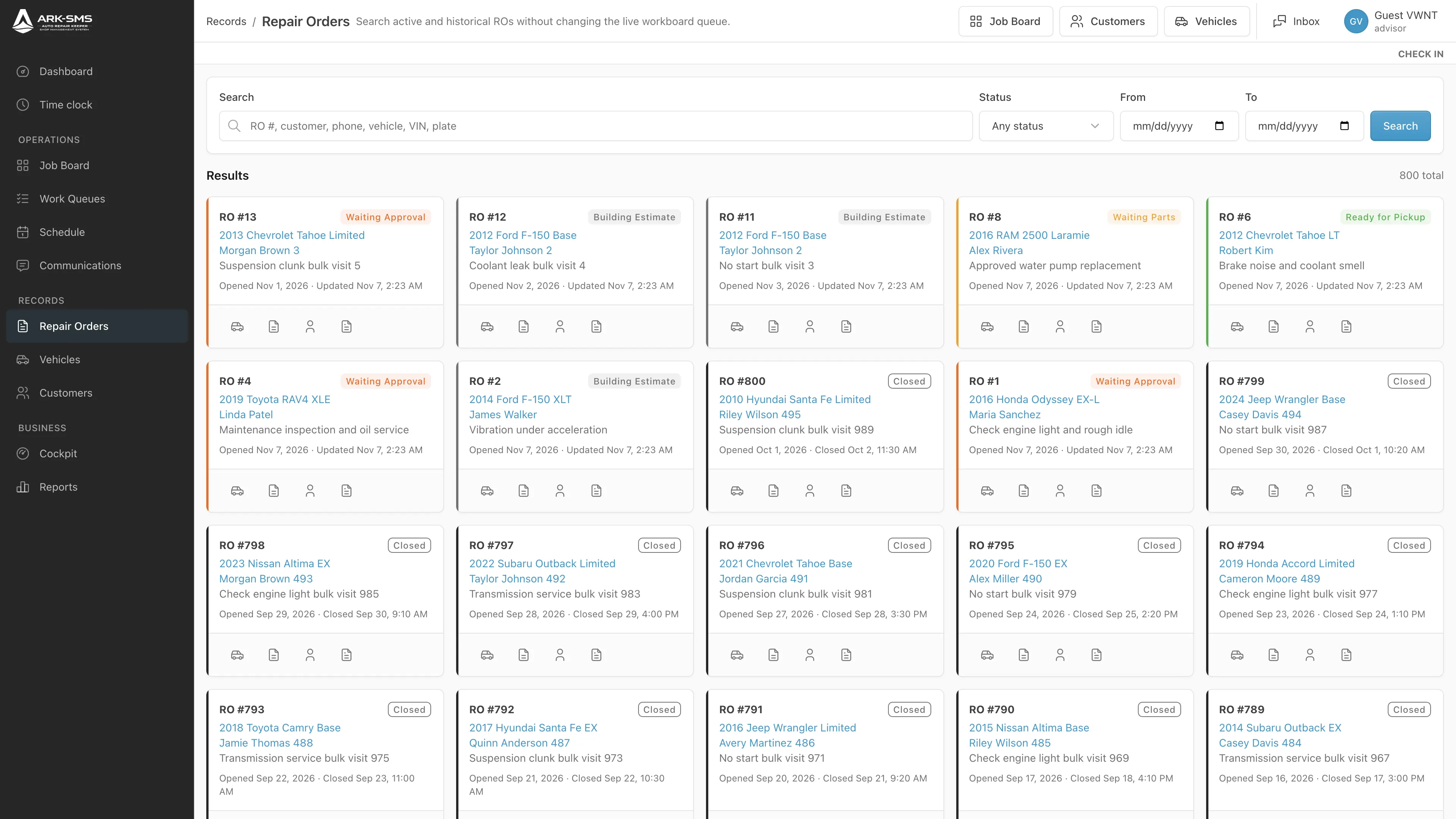
Repair orders
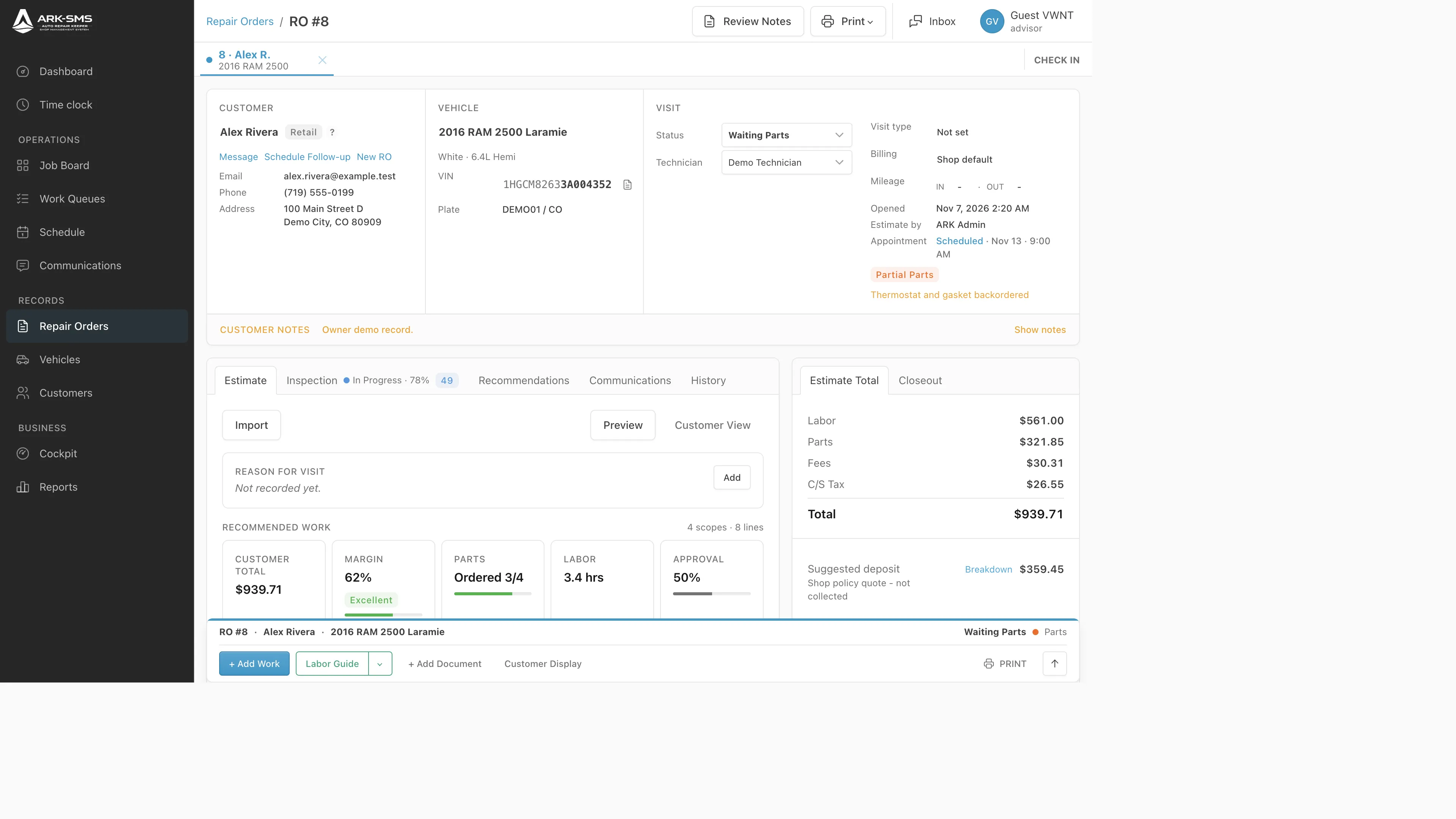
Concern-based jobs that stay clear from estimate to invoice
Organize work by concern, build estimates with revisions, and send authorizations so customers approve before work starts. Approved lines move to production and invoicing without rebuilding the job.
- Statuses that match how shops move vehicles
- Estimate revisions with a clear approval path
- Dashboard cues for estimates and approvals waiting on you
Schedule & workboard
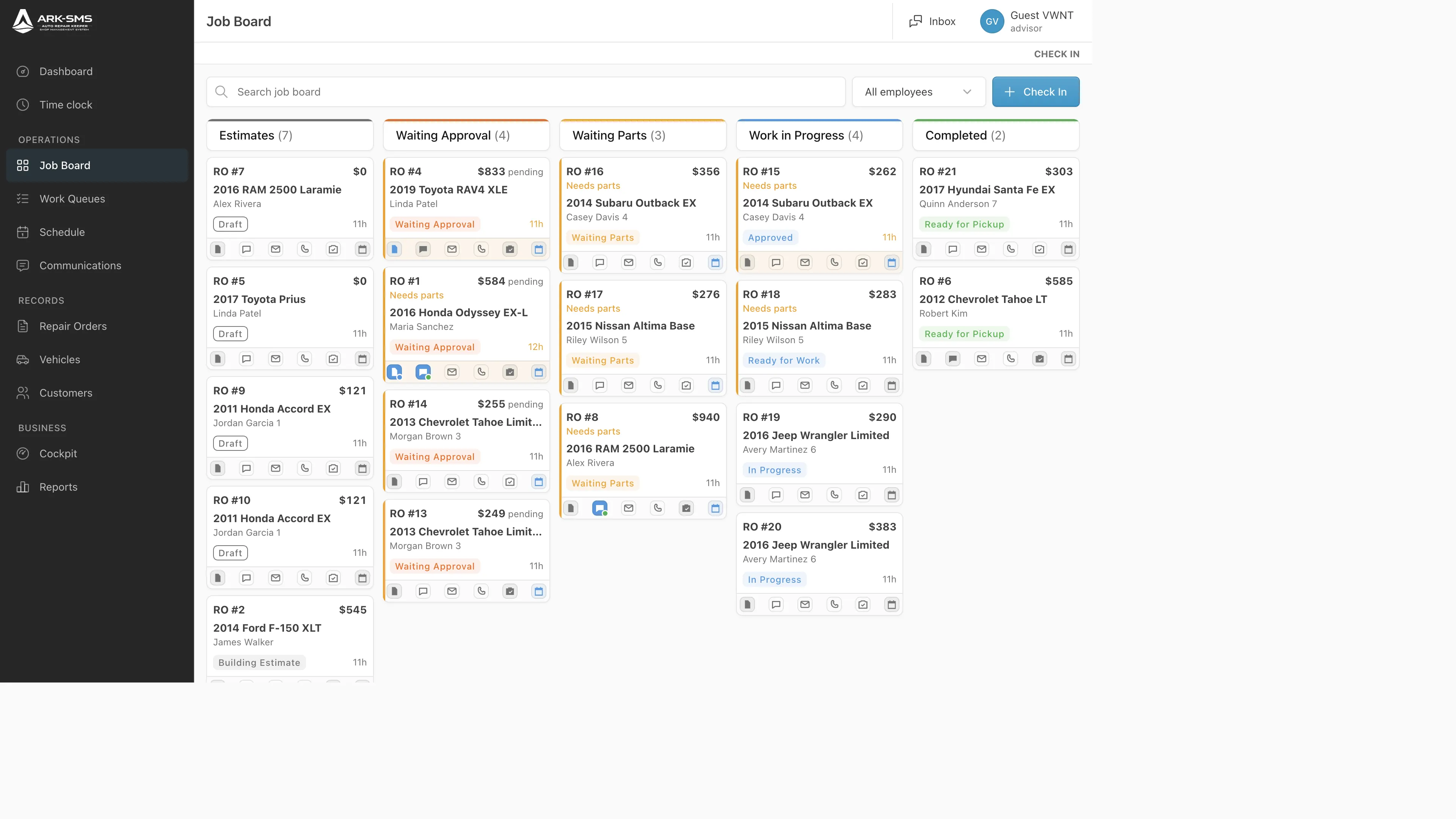
See what needs attention on the floor
The schedule shows what is coming in. The workboard and queues show what is waiting, in progress, and ready for pickup so advisors and technicians share one picture of the day.
- Appointment schedule for the day ahead
- Job board and work queues for production
- Technician views of assigned work
Inspections & history
Findings and customer history stay with the visit
Walk a digital inspection, record findings, and share results with the customer as part of the same visit. Customer and vehicle history keep prior recommendations and conversations where the next advisor can find them.
- Checklist findings: good, monitor, or needs attention
- Customer and vehicle records tied to each visit
- Recommendations that stay attached to the job
Booking & portal
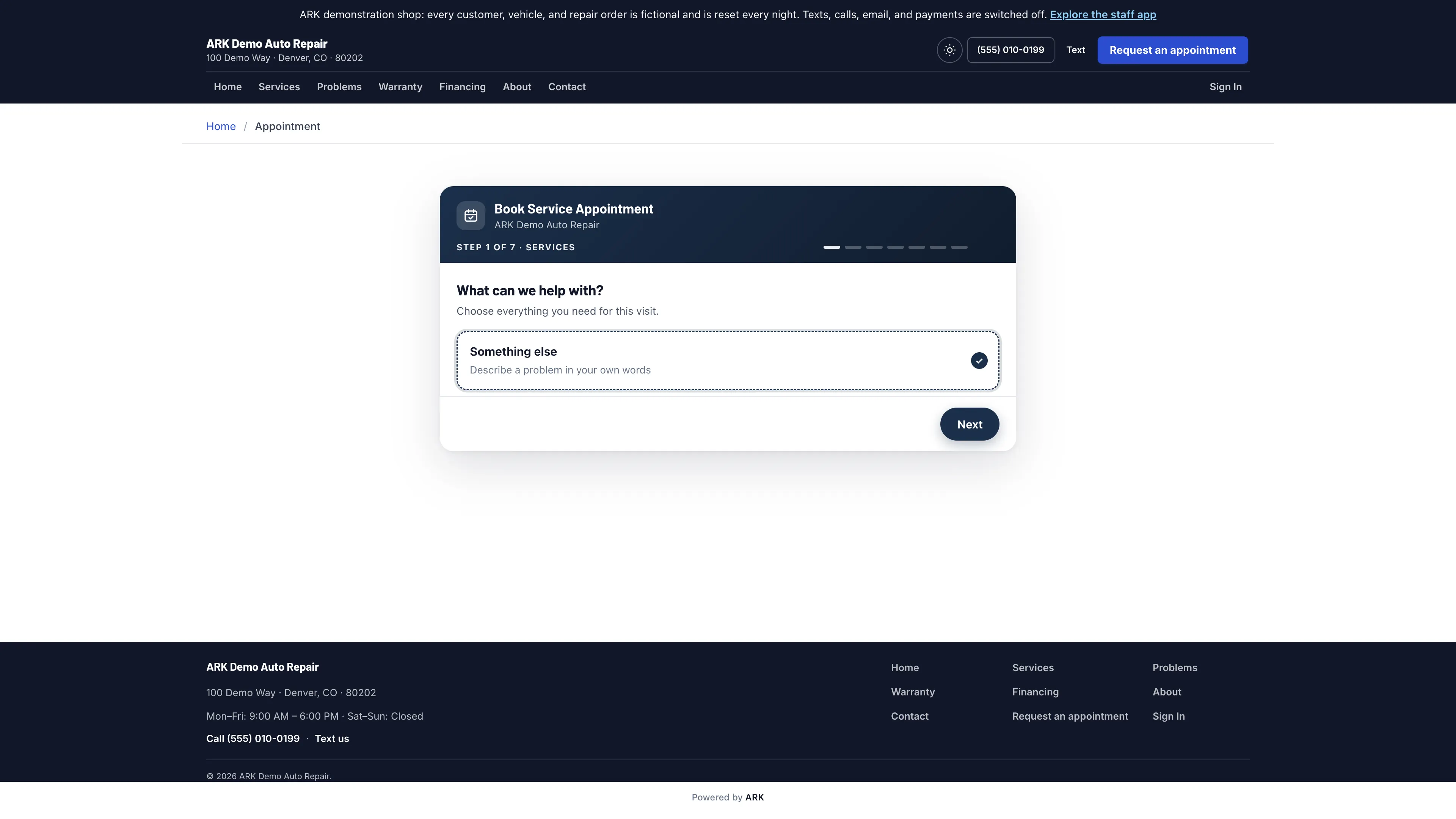
Customers request work and approve it without phone tag
Online booking brings new and returning customers in with their vehicles. The customer portal is where they review estimates, inspections, and repair status.
- Book Service Builder for the public booking flow
- Returning-customer recognition and saved vehicles
- Portal access for authorizations and visit history
Parts, labor & invoicing
Price the work the way your shop prices it
Labor rates and parts matrices keep estimates consistent. PartsTech ordering is available when you connect your own PartsTech account. Invoicing stays on the same repair order as the authorized work.
- Shop labor and parts pricing tools
- PartsTech with your PartsTech credentials
- Invoices tied to approved and completed work
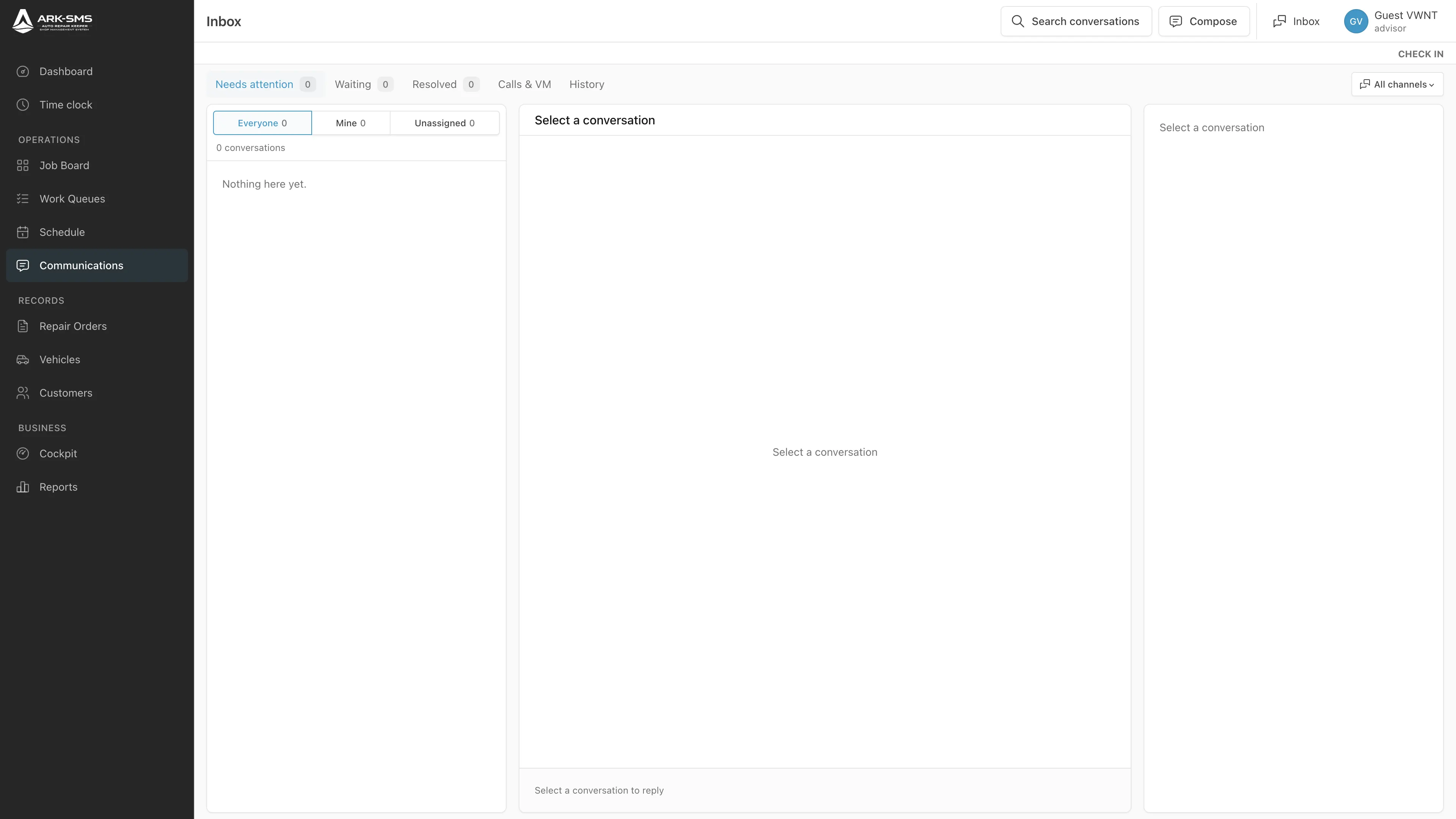
Payments & communications
Close the job and keep the conversation with it
Record deposits and payments against the repair order. Follow up from a unified inbox so the next advisor is not starting from zero.
- Payment recording on the repair order
- Inbox and follow-up on open work
- Transactional email included; texting uses prepaid ARK credits after carrier registration
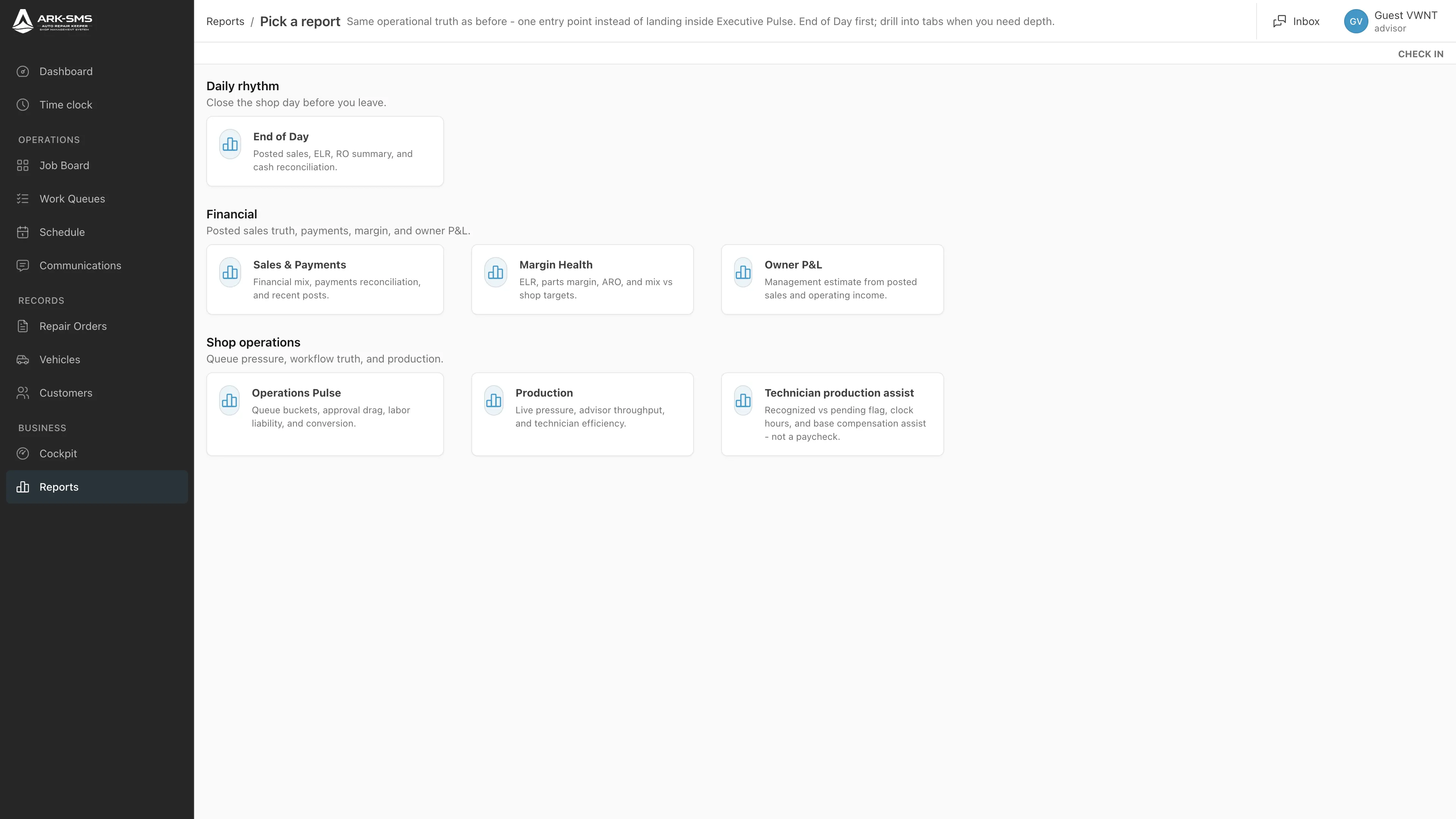
Reporting
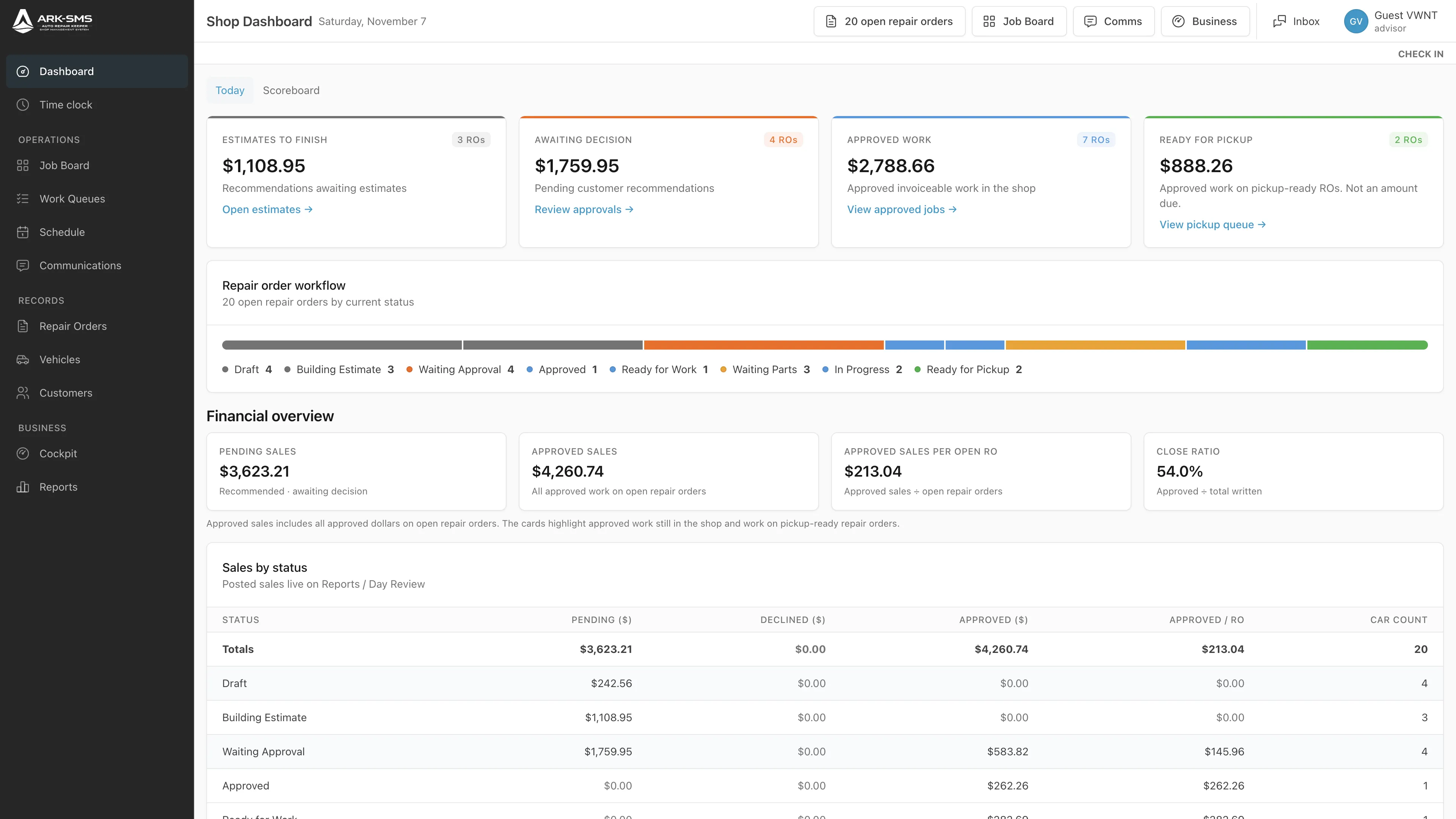
Know what the shop produced
Sales by status, close ratio, and work still waiting in the shop, without exporting a spreadsheet first.
Staff & shop setup
Give people the access their role needs
Invite staff with permissions that match their job. Each location includes ten active staff assignments, and people can work across locations when you run more than one.
- Role-based staff invitations
- Ten active staff per location included
- Shared staff across your locations
See it in a working shop
Explore the live demo with synthetic data, or talk with us about your workflow.